Payroll software for car wash & detailing
Automatic payroll calculation for car wash teams
Washa turns completed orders into accurate payroll—so owners stop rebuilding spreadsheets every month and employees trust the numbers.
Built for traditional car washes and detailing studios where multiple staff share a job, commission rules vary by service, and payroll mistakes create tension on the floor.
- Flexible payroll constructors for % and fixed rules
- Multiple employees per order with automatic splits
- Payroll analytics, bonuses, penalties, and export-ready history
Payroll analytics
March 2026
Earned
€3,340
Paid
€2,480
Balance
€860
Bonuses
€120
Penalties
€40
Orders
186
| Employee | Constructor | Earned | Balance |
|---|---|---|---|
| Ana R. | Detailing 12% | €1,240 | €340 |
| Pedro M. | Wash floor €8/job | €980 | €0 |
| Sofia L. | Night +15% | €1,120 | €520 |
Payroll problems we solve
Excel calculations every month
Hours lost copying orders, fixing formulas, and reconciling who worked which shift—while the team waits for answers.
Payroll mistakes & disputes
One wrong percentage or missed bonus erodes trust. Manual math at month-end is where small errors become big arguments.
Complex commission structures
Different services, day vs night rates, and team splits are painful in spreadsheets—but normal in car wash operations.
Scaling teams & locations
As you add bays, detailers, and sites, informal payroll habits break. You need one system that grows with the network.
How automatic payroll works
Four steps—from salary rules to month-end analytics—without leaving the same Washa workspace your team already uses for orders and scheduling.
- 1
Create flexible payroll constructors
Define salary rules once: percentages from orders, fixed amounts per service, day/night rates, or combinations that match how you actually pay staff.
Payroll constructors
Percentage from orders
12% of completed order total
Fixed per service
€8 per exterior wash
Per-service rates
Ceramic 15% · Interior 10%
Day / night rates
Day 10% · Night +15%
Employee groups
Detailing team · Wash floor
- 2
Assign constructors to employees or groups
Attach rules to individuals or employee groups—detailing team, wash floor, night shift—so defaults are clear before any order is completed.
Constructor assignments
Detailing team
Ana R. · Ceramic 15%Sofia L. · Ceramic 15%Wash floor
Pedro M. · €8 / jobRui G. · €8 / jobMiguel A. · €8 / job - 3
Assign employees to completed orders
When a job finishes, assign one or more employees. Washa calculates each person’s share from the order total and their active constructor.
Order assignment
#1842 · Premium detail
Service: Ceramic + interior
Total: €145
Ana R.€87 · 60%Sofia L.€58 · 40% - 4
Payroll is calculated automatically
Earnings, paid amounts, balances, bonuses, and penalties roll into payroll analytics—ready for review, payout, and export.
Ready to payPayroll analytics
March 2026
Earned
€3,340
Paid
€2,480
Balance
€860
Bonuses
€120
Penalties
€40
Orders
186
Employee Constructor Earned Balance Ana R. Detailing 12% €1,240 €340 Pedro M. Wash floor €8/job €980 €0 Sofia L. Night +15% €1,120 €520
Flexible payroll constructors
Mix rule types to mirror real car wash pay structures—without forcing everyone into a single flat percentage.
Percentage from orders
Pay a share of the completed order total—ideal for commission-based detailers and team leads.
Fixed amount per service
Set a flat payout per wash type or package—simple for high-volume exterior lanes.
Different percentages by service
Ceramic coating, interior, and express washes can each carry their own rate inside one constructor.
Day / night percentages
Reward evening or weekend shifts with higher rates without maintaining separate spreadsheets.
Employee groups
Apply the same constructor to a group, then override individuals only when needed.
Need a payroll rule that is not listed here? Tell us how you pay your team—our product team can usually add it quickly.
Payroll analytics at a glance
See month-to-date payroll health in one dashboard—earnings, payouts, and what is still owed before you close the period.
Earnings
Total calculated from completed orders and active constructors for the selected period.
Paid amount
Track what has already been paid out so balances stay honest.
Balance
Know exactly what remains to pay each employee before month-end.
Bonuses
Add one-off or recurring bonuses without breaking the main payroll math.
Penalties
Record adjustments transparently so totals stay auditable.
Payroll history
Review past periods and export data when accountants or franchise partners need records.
Payroll analytics
March 2026
Earned
€3,340
Paid
€2,480
Balance
€860
Bonuses
€120
Penalties
€40
Orders
186
| Employee | Constructor | Earned | Balance |
|---|---|---|---|
| Ana R. | Detailing 12% | €1,240 | €340 |
| Pedro M. | Wash floor €8/job | €980 | €0 |
| Sofia L. | Night +15% | €1,120 | €520 |
Order-level payroll override
Sometimes one job is an exception. Adjust payroll for a single order without changing the employee’s default constructor.
- Override split or amount on a specific completed order
- Keep the employee’s standard constructor intact for future jobs
- Make exceptions visible in analytics instead of hidden in chat
Single-order override
Pedro M. · default €8/job → custom €12 for this order only
Earned on order: €12
My earnings
€1,240
Month to date
Earned
€1,240
Paid
€900
Upcoming payout
€340
Employee transparency in the mobile app
When staff can see earnings build through the month, payroll day stops feeling like a surprise.
- Employees track month-to-date earnings in the Washa mobile app
- Fewer “what did I earn?” conversations at the desk
- More trust between floor teams and management
Why car washes choose Washa for payroll
- Automatic monthly payroll from real completed orders
- Saves hours every month—no Excel rebuild
- No manual commission math on busy Saturdays
- Designed for car wash & detailing workflows
- Multiple employees per order, split automatically
- Franchise-ready reporting across locations
Guides & comparisons
Explore structured articles, comparisons, and SEO guides in the resources hub.
Related insights
- GeneralTraditional car washDetailing
What to Look for in Car Wash Software
A good shortlist is not about feature count—it is about whether booking, client memory, schedule execution, and messaging share one backbone.
Read article → - Traditional car washDetailingOnline booking
Why Car Washes and Detailing Studios Lose Money Without Online Booking
Some customers are ready to book when your team is not available to answer. See how the lack of online booking can lead to missed bookings and lost revenue for car wash, car valeting and detailing businesses.
Read article → - GeneralTraditional car washDetailing
How CRM Helps Car Washes Increase Repeat Visits
Repeat revenue is not luck—it is visibility: who came last, what they bought, when they are due again, and who quietly stopped showing up.
Read article →
Explore related Washa features
Frequently asked questions about car wash payroll software
Stop calculating payroll in Excel. Start your free Washa trial.
Client Mobile App
Your clients can use the Washa mobile app
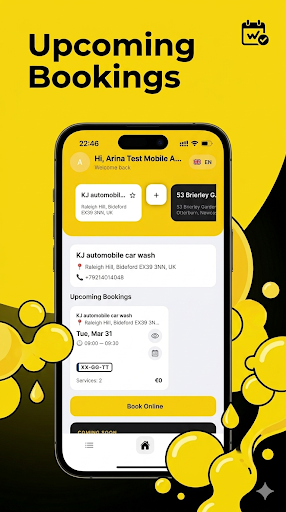
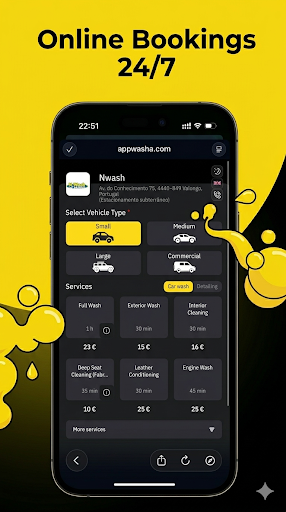
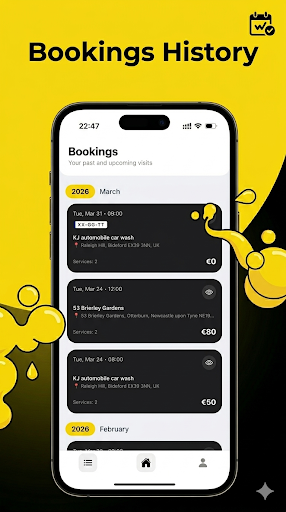
After launching carwash-client-mobile, your clients can use the app from Google Play and Apple App Store to track visit history, book online, and view marketing promotions.
Visit history
Clients see completed and upcoming visits in one place.
Online booking
Fast booking without calls and manual confirmation loops.
Marketing offers
Special promotions and campaign offers stay visible in the app.
Store availability
Published in Google Play and Apple App Store.